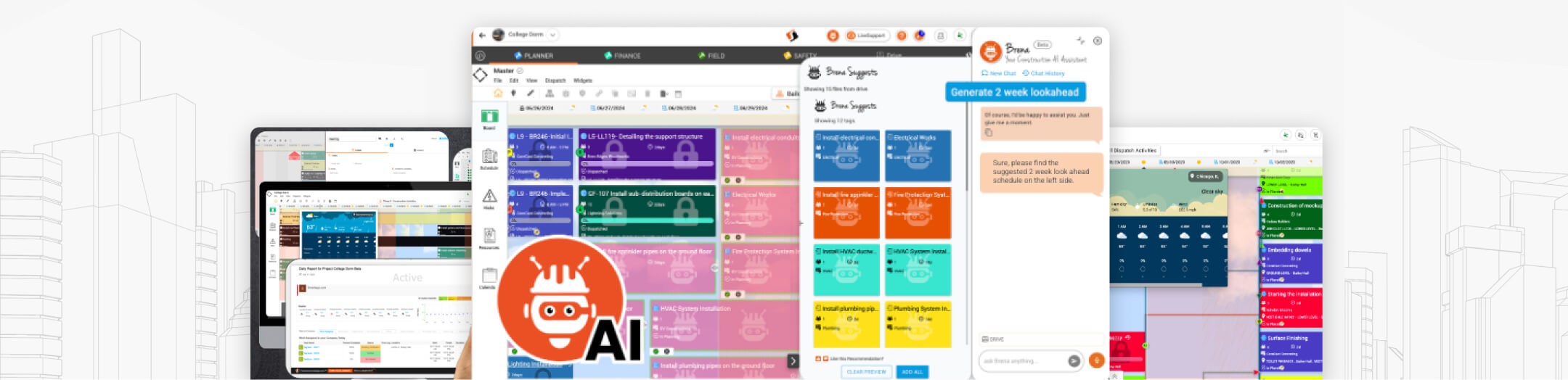
SmartappⓇ vs Procore
Let's take a look at how Smartapp stacks up against the competition
The big creators create with us























How does Smartapp Sketch compare to
Procore's Planning Capabilities?
| Capabilities |  Smartapp SKETCH™ Smartapp SKETCH™ |
PROCORE |
|---|
| Total Score | 204/204 | 102/204 |
Point system  4 POINTS 4 POINTS  3 POINTS 3 POINTS  2 POINTS 2 POINTS 1 POINTS 1 POINTS 0 POINTS 0 POINTS |
||
|
Point system
4 POINTS3 POINTS2 POINTS1 POINTS0 POINTS |
||
| Core Capabilities | ||
| Multi-party Real-time 2D View & Markup Tool (mobile & desktop) | |
|
| Multi-party Real-time BIM View & Markup Tool (mobile & desktop) | |
|
| Multi-party Real-time 360 View & Markup Tool (mobile & desktop) | |
|
| Centralized Project DRIVE for Document management on any device (mobile & desktop) | | |
| Mobile - Work Offline: Access latest documents from any mobile device (Android, iOS, phone & tablet) | | |
| Navigate a 3D Model by moving in a 2D Drawing | | |
| 3D Reconstruction (Beta): Near-live 3D Digital Twins | | |
| My Toolbox: Quickly design, sketch and annotate project details | | |
| Sketchbook: Build and save curated sets of drawings and sketches, tailored to your team’s tasks | | |
| Ability to do a Visual Version Compare between any two revisions of the same file | | |
| Ability to redline in real-time with other parties using a suite of built-in drawing commands (line, circles, rectangles, txt, etc.) | | |
| Ability to Pin videos, photos, 360 images directly onto your 2D, BIM or 360 files | | |
| Calibrated 2D and BIM drawing for dimensional and count takeoffs | | |
| Ability to Pin Smartapps (RFIs, Inspections, Punchlists, etc.) directly onto your 2D, BIM or 360 files | | |
| Ability to open many drawings, files, BIM models at the same time in a single Multi-tab View | | |
| Ability to set up Split Screen views of multiple files and types in a single View (BIM, Drawings) | | |
| Ability to Sync zoom and pan while in Split Screen view across multiple drawings | | |
| Ability to filter only the adds or removes from a Version Compare view | | |
| Full Dimensioning set of commands to easily add dimensional elements to your drawings & sketches | | |
| Ability to Create new single or multi-page Sketches from Blank or predefined background templates | | |
| Ability to view and navigate multi-page PDF files | | |
| Ability to add or remove pages into a multi-page PDF file | | |
| Ability to create or use pre-built redline markup symbols to your Drawings | | |
| Ships with over 2000+ pre-built symbols (i.e., furniture, people, equipment, electrical, signs, etc.) | | |
| Ability to define personal custom symbols | | |
| Built-in VR 360 Timelapse Mode | | |
| Ability to define private or public Workspaces of groups drawings and files for easy one click retrieval of file set | | |
| Ability to conduct via Livelink "live" audio / video multi party drawing review sessions | | |
| AutoSnap & Lock features for easy and accurate markup alignment (mobile & desktop) | | |
| Full text index search to easily find and zoom to any word match search | | |
| BIM Federated Models - Combine multiple BIMs into ONE federated model | | |
| Google Integration: Can be installed & seamlessly integrated into your Google Workspace & Google Drive | | |
 BRENA®: AI Construction Assistant - Seamless and context-aware through all SKETCH features BRENA®: AI Construction Assistant - Seamless and context-aware through all SKETCH features | | |
| Mobile Capabilities | ||
| Android & iOS support | |
|
| Phone or Tablet | |
|
| Online / Offline Mobile Capabilities | |
|
| Mobile Optimized Easy User Interface (touch, pinch, swipe, etc.) | |
|
| Location based NearBy sorting | |
|
| Built-in Real-time Team Collaboration & Communication features (see below) | |
|
| Collaboration & Communication Capabilities | ||
| Built-in LiveLink® multi-party Audio/Video Meetings | |
|
| Built-in LiveChat® multi-party text based chat sessions | |
|
| Built-in LiveNote® multi-party realtime in person session NoteTaker mode | |
|
| Real-time Presence awareness & multi-party editing | |
|
| Teamwork Calendars | |
|
| Built-in My Workspace® Widget | |
|
| Support | ||
| LiveSupport Realtime Chat Support | |
|
| 24/7 Helpdesk Ticketing Support | |
|
| Dedicated Customer Success Management | |
|
| Optional - Tailored Training & Success Onboarding Implementation Services | |
|
| Context Aware Built In Help Menus with embedded How-To videos | |
|
| BRENA® -AI powered Help Engine | |
|
| Total Score | 204/204 | 102/204 |
Point system
4 POINTS
3 POINTS
2 POINTS
1 POINTS
0 POINTS
4 POINTS
3 POINTS
2 POINTS
1 POINTS
0 POINTS
-
01
Add-ons & Connectors
Your Smartapp PLANNER™ edition comes with free connectors that keep your project data integrated with:
-
P6 ™
-
Procore ™
-
Microsoft Project ™
-
Gantter ™
-
-
02
Pre-packaged Apps
PLANNER comes with a pre-built suite of Smart apps designed for your industry's standard needs and best practices. You can use them right out of the box!
-
03
Includes AppStudio™
Smartapp AppStudio™ gives you a single centralized place where you can create, import & update your own apps, along with access to hundreds of pre-built app templates from our App Marketplace. Rapidly digitize your project data collection & work process automation!
Learn More
