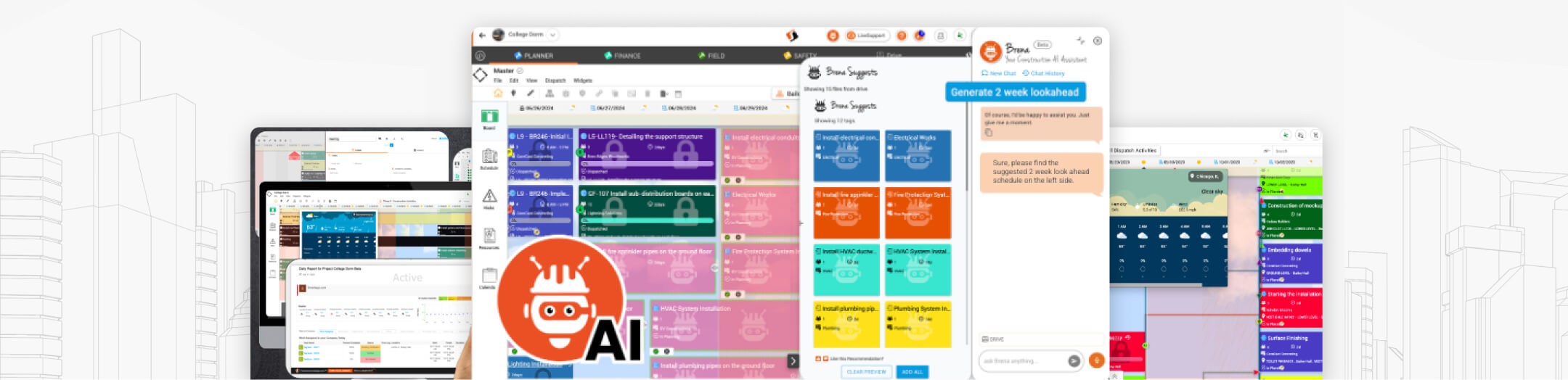
SmartappⓇ vs Procore
Let's take a look at how Smartapp stacks up against the competition
The big creators create with us























How does Smartapp PLANNER compare to
Procore's Planning Capabilities?
| Capabilities |  Smartapp PLANNER™ Smartapp PLANNER™ |
PROCORE |
|---|
| Total Score | 504/504 | 88/504 |
Point system  4 POINTS 4 POINTS  3 POINTS 3 POINTS  2 POINTS 2 POINTS 1 POINTS 1 POINTS 0 POINTS 0 POINTS |
||
|
Point system
4 POINTS3 POINTS2 POINTS1 POINTS0 POINTS |
||
| CORE | ||
| LEAN Last Planner System® | |
|
| CPM Schedule System® | |
|
| Calendar Work Planner System® | |
|
| Linear Work Planning Mode® | |
|
| Daily Report Center® | |
|
| Mobile Daily Work Queue® | |
|
| MyWorkspace Widget® | |
|
| Built-in "What if" Scenario Simulator® | |
|
| Multi-Party Real Time editing of both LEAN LPS Boards & CPM Schedules | |
|
| Automatically Aligned LEAN LPS Boards to CPM schedules | |
|
| Unlimited LEAN LPS Plan Boards, CPM Schedule Files & Cloud Storage | |
|
| Smart Time Trakker™ System - For both Crew and Personal time tracking | |
|
 BRENA® : AI Construction Assistant - Seamless and context-aware through all PLANNER features BRENA® : AI Construction Assistant - Seamless and context-aware through all PLANNER features |
|
|
 Includes all AppStudio Capabilities (Click here to see the AppStudio features) Includes all AppStudio Capabilities (Click here to see the AppStudio features) |
|
|
 Includes all OrgCentral Capabilities (Click here to see the OrgCentral features) Includes all OrgCentral Capabilities (Click here to see the OrgCentral features) |
|
|
| LEAN Last Planner System® (LPS) / Pull Planning | ||
| High Level WBS Visual Plan Boards & Summary Tags (Rollups) | |
|
| Detailed Activity Visual Work Boards & Work Tags (aligned to WBS Rollups) | |
|
| Assign Work to Single Day, Multi Day or Hour Work Duration units | |
|
| Assign Work Tag Resource by Trade, Work Team (Crew) , Company or Worker (User) | |
|
| Assign Location to Tags (Building, Floors, Rooms or GeoSpatially) and Phases | |
|
| Visually Drag & Drop to Organize and Create Work Tag sequencing | |
|
| Multi-Tag Select / Move / Copy Drag & Drop Functionality | |
|
| Dynamic Scheduling Aid Overlays - Like Embedded Live 10-Day Weather Forecast | |
|
| Embedded & configurable Promise & Next period visual overlay | |
|
| Auto-aligned to get and push updates in real-time to CPM Gantt View | |
|
| Visual Work Tag Sequence Chain Builder (predecessor / successor) & Chain Manager | |
|
| Manually Dispatch single, selected, or date range of Work tags | |
|
| Auto-Dispatch Work Tags based on user preference set time interval (hourly, daily, weekly, etc.) | |
|
| See Work Tags in real-time created from CPM Gantt view | |
|
| Role-based Permissions and Workflow controls (view, edit, update, manage) | |
|
| Supports both Manual & Dynamic Rollup Milestones | |
|
| Auto Generated Daily Reports (Trade & GC) with Review & Sendback Workflow | |
|
| Assign & Track Constraints, Issues or Risks to Work Tags | |
|
| Split-Screen Mode (High-Level & Daily Work Boards) | |
|
| Tracks both Schedule and Actual dates & times for accurate productivity analysis | |
|
| Dynamic Swim Lanes and Swim Lane View Mode | |
|
| Easily Filter & Group Work Tags | |
|
| Built-in 2 / 4 /6 week Lookahead Views | |
|
| Linear Work Planning Mode® to plan & visualize Work on linear segments (i.e., roads, pipelines, utility lines) | |
|
| User preferences for Work Tag Watermark Icons and Shape by Stage status | |
|
| Built-in Scheduled Work Widget® to easily drag & drop Items into Boards | |
|
| Built-in Private Trade Tag Shelf® for preparing Pre-Pull Planning session DRAFT Tags | |
|
| Built-in Time, Work Labor, Material & Equipment utilization Tracking | |
|
| Built-in Daily Journals, Impacts & Progress Photo's capture (sync into Auto-gen Daily Report) | |
|
| Quick add & Quick edit for faster work assignment workflow | |
|
| Links on work tags - RFIs or Punchlist items dircetly to your work tags | |
|
| BRENA® - Suggest & Assist AI Engine (Generate 2/4/6 week lookaheads, Analytic Charts, and more) | |
|
| CPM Schedule System® / P6 & Microsoft Project Capabilities | ||
| Full CPM Engine & Gantt Capabilities | |
|
| Oracle Primavera P6 Read & Write (import & export) capabilities with 100% Fidelity | |
|
| Microsoft Project (import & export) capabilities with 100% Fidelity | |
|
| Flexible P6 Multi-Resource Type Mapping & Activity ID tracking | |
|
| Assign & Track Constraints, Issues or Risks to CPM tasks | |
|
| Create LPS Work Tags from CPM Schedule Task items and vice-versa | |
|
| Multi-Party Real-Time editing of CPM Schedules | |
|
| Set & Manage CPM Task - Predecessor & Sucesor relationships | |
|
| Set & Manage CPM Task - Dependency Logic (F2F, F2S, S2S, S2F) | |
|
| Set & Manage CPM Task - Lag | |
|
| Role Based Permissions and Workflow controls (view, edit, update, manage) | |
|
| Auto-generated Critical Path | |
|
| Define & Manage Project CPM Schedule Templates | |
|
| Create & Manage Baselines | |
|
| Custom Fields / Columns | |
|
| Set Project - currency, time zones, calendar and language preferences | |
|
| BRENA® - Suggest & Assist AI Engine | |
|
| Calendar Work Planner System® | ||
| Built-in Calendar based Work Planning Mode to easily view & plan Work by Hours, Day or Week | |
|
| Supports assigning & reserving work time blocks at the user, work team (crew), & company level | |
|
| Visually see all committed and available time block segments | |
|
| Drag & Drop interface to assign or manage Work | |
|
| Role Based Permissions and Workflow controls (view, edit, update, manage) | |
|
| GPS Location-Aware Real-Time Work Dispatch | |
|
| Built-in GPS optimized auto-route feature | |
|
| Built-in Map View (workers & assignments) | |
|
| Built-in Work Assignment Updating & Verification | |
|
| Built-in Day & Week Views | |
|
| Built-in Work Assignment Updating & Verification interface | |
|
| Set & Manage Auto-Assign Work & Dispatch Rules Engine | |
|
| Mobile Capabilities | ||
| Android & iOS support | |
|
| Full LPS & CPM capabilities on Tablets | |
|
| Online / Offline Mobile Capabilities | |
|
| Mobile Optimized Easy User Interface (touch, pinch, swipe, etc.) | |
|
| Personalized Dispatched Burn Down List Work View (phone & tablet) | |
|
| Real-Time Progress, Time & Material Updates from the Field | |
|
| Real-Time logging of Constraints & Issues to Work Items | |
|
| Location based NearBy sorting | |
|
| One-click Real-time Journal Entries, Daily Impacts, Labor updates & Progress Photos | |
|
| Built-in real-time Team Collaboration & Communication features (see below) | |
|
| Collaboration & Communication Capabilities | ||
| Built-in LiveLink® multi-party Audio Video Meetings | |
|
| Built-in LiveChat® multi-party text based chat sessions | |
|
| Built-in LiveNote® multi-party Real Time in person session NoteTaker mode | |
|
| Built-in LiveHuddle® multi-party Real Time in person session TouchBoard mode | |
|
| Real-time Presence awareness & multi-party editing | |
|
| Teamwork Calendars | |
|
| Built In MyWorkspace® Widget | |
|
| Smartapp Cross Edition & 3rd Party PLANNER Integration & Connector Capabilities | ||
| Smartapp FIELD® - 2D Drawings & BIM Progress Visual Heat Mapping | |
|
| Smartapp FIELD® - 2D Drawings, BIM & Map mode Work Tag Creation | |
|
| Smartapp FINANCE® - Align WBS to CBS for Cost Loaded Budget & Schedule | |
|
| Smartapp FINANCE® - PLANNER Work Tags auto-update forecasts & actuals against Budget | |
|
| Smartapp FINANCE® - PLANNER Work Tags auto-update forecasts & actuals against Contracts | |
|
| Smartapp FINANCE® - PLANNER Work Tags auto-trigger Pay Applications based on Contract SOV's | |
|
| Smartapp SAFETY® - Adds to PLANNER Work Tags STA/JHA/PTP with automated WF & Tracking | |
|
| Smartapp SAFETY® - Adds to PLANNER Work Tags Permits & Inspections with automated WF & Tracking | |
|
| Smartapp SAFETY® - Adds to PLANNER Auto-Gen Daily report - Visitors, Safety incidents & violations | |
|
| Smartapp SAFETY® - Adds to PLANNER Auto-Gen Daily report - Alerts, Bulletins & Evacuation events | |
|
| Smartapp AppStudio® - No Code / Low-Code Configuration Engine to build or modify Smartapp data collection forms | |
|
| Full & Open REST API for custom System to System integration | |
|
| Pre-Built SAP S4/HANA ERP Connector - Bidirectional Real-Time Integration / Certified SAP Partner | |
|
| Pre-Built Procore Connector | |
|
| Analytics & Reporting | ||
| Real Time PPC Graph Reporting | |
|
| Real Time Schedule performance Analytic Dashboards & Visualizations | |
|
| Auto-Generated Daily Reports | |
|
| Manpower, Labor & Time Tracking Analytic Dashboards (Planned / Actual / Forecast) | |
|
| Constraints & Issue Log Report | |
|
| Work Tag Summary Report | |
|
| LPS Board View Print/Plot View | |
|
| BRENA® AI-generated detailed reports and customizable analytic dashboards | |
|
| Support | ||
| LiveSupport Real Time Chat Support | |
|
| 24/7 Helpdesk Ticketing Support | |
|
| Dedicated Customer Success Management | |
|
| Optional - Tailored Training & Success Onboarding Implementation Services | |
|
| Context Aware Built In Help Menus with embedded How-To videos | |
|
| BRENA® -AI powered Help Engine | |
|
| Optional - Smartapp Hardware Support | ||
| Smartapp Jobsite BADGE™ - NFC PVC badge IDs and/or RFID & BLE Worker IDs comaptiable with our ACCESS™ & ATTENDANCE™ stations | |
|
| Jobsite ACCESS™ - For automating Turnstile Gates & Locked Area Access, Time & Attendance tracking data capture | |
|
| Jobsite ATTENDANCE™ - For automating Jobsite Time & Attendance tracking data capture | |
|
| Jobsite RTLS™ - For automating & overlaying Worker Indoor postion & utilization data capture | |
|
| Jobsite BOARD™ - 86" Touchscreen supporting in-person "live" review sessions | |
|
| Total Score | 504/504 | 88/504 |
Point system
4 POINTS
3 POINTS
2 POINTS
1 POINTS
0 POINTS
4 POINTS
3 POINTS
2 POINTS
1 POINTS
0 POINTS
-
01
Add-ons & Connectors
Your Smartapp PLANNER™ edition comes with free connectors that keep your project data integrated with:
-
P6 ™
-
Procore ™
-
Microsoft Project ™
-
Gantter ™
-
-
02
Pre-packaged Apps
PLANNER comes with a pre-built suite of Smart apps designed for your industry's standard needs and best practices. You can use them right out of the box!
-
03
Includes AppStudio™
Smartapp AppStudio™ gives you a single centralized place where you can create, import & update your own apps, along with access to hundreds of pre-built app templates from our App Marketplace. Rapidly digitize your project data collection & work process automation!
Learn More
